How to Redeem Codes in Chained in Backrooms
Be ready when a promo string drops — and claim free rewards today.
Before you start
Chained in Backrooms by Musta and Alexander currently has no active promo codes. This guide still matters: when a code does appear, redeem windows are often short, and the lobby UI can be easy to miss while your party is already chaining up. Learn the flow once, then use the Codes Hub to see whether anything is live.
You should also claim the standing free reward (join group + like & favorite) described below and in detail on Free Rewards. That path does not need a code string.
If / when a promo code is active
Follow these steps carefully. Exact button labels can shift after patches, but the pattern stays the same for most Roblox experiences with a Codes box.
- Open Roblox and join the official place: Chained in Backrooms.
- Wait until you fully load into the lobby / hub, not mid-level. Codes UIs almost always live outside active missions.
- Look for a Codes, Rewards, Gift, or Twitter style button on the main HUD, a side menu, or a shop panel. On mobile, open the hamburger or “…” menu if the desktop icon is hidden.
- Tap the button, open the text field, and paste the code exactly as published (capitalization usually matters; avoid extra spaces).
- Confirm / redeem. Watch for a success toast, inventory ping, or badge notice.
- If nothing happens, leave and rejoin once, then try again. Soft UI desync is common on busy servers.
Keep one person in the party on “code duty” while others set roles from the Team Roles Tier List. That prevents the whole chain from standing idle while everyone scrolls Discord.
Where the UI usually lives
Players commonly find redeem panels in these spots:
- A bright icon near the top or bottom of the lobby HUD.
- Inside a Shop / Rewards tab next to game passes or cosmetics.
- Behind a Settings / Menu gear that expands into Codes.
- As a temporary event banner after a major update (check Launch Notes).
If you cannot find any Codes button, it may mean the feature is disabled while no codes exist — which matches the current empty list on the Codes Hub. Do not install random “auto redeem” tools; see Scripts for why executors are risky.
Free reward steps (no code required)
This is the reliable freebie the developers advertise on the game page:
- Open the Musta and Alexander Roblox group and click Join.
- Return to the game page.
- Like the experience (thumbs up).
- Favorite the experience (star / bookmark).
- Rejoin the game so membership and social actions can sync.
- Check for the free in-game reward / perk notice after loading.
Full troubleshooting for missing rewards is on Free Rewards. Sync delays of a few minutes are normal; alt accounts must join the group separately.
Common redeem failures
| Problem | Likely cause | Fix |
|---|---|---|
| “Invalid code” | Typo, expired string, or wrong game | Copy from a trusted list; confirm you are in Chained in Backrooms |
| No Codes button | Feature hidden / no active codes | Recheck Codes Hub; claim group reward instead |
| Button does nothing | UI lag or softlock | Rejoin lobby; avoid redeeming mid-obby |
| Reward missing after success | Inventory delay | Relog; check badges / backpack |
| Friend’s code works, yours does | Already redeemed / region delay | One redeem per account; wait and retry |
Never buy “code packs” with Robux from strangers. Official codes are free to type. Paying a middleman is how accounts get scammed.
Party workflow when a new code drops
- Pause the run in a safe lobby — do not redeem on Glass Bridge mid-jump.
- One player posts the verified string in voice/chat.
- Everyone redeems, then confirms the reward type.
- Resume with an updated Team Ready Checklist if the reward changes loadouts or cosmetics.
- Note the drop on your mental changelog and watch Updates for patch context.
After redeeming: what to play next
New cosmetics or boosts will not fix chain coordination. Spend five minutes on Getting Started, assign Front / Middle / Back roles via Team Roles, and study hard stages on the Level Difficulty list. Learn threat tells on Entities and interactables on Items so the free gift actually gets used in a clear.
Safety notes
- Only redeem inside the official Roblox client for this place ID.
- Do not paste codes into off-site “generators.”
- Avoid scripts that claim to auto-claim every code; they often violate Roblox Terms of Use. Read the disclaimer on Scripts.
- Prefer legitimate play for co-op fun — the chain fantasy is the point of the game.
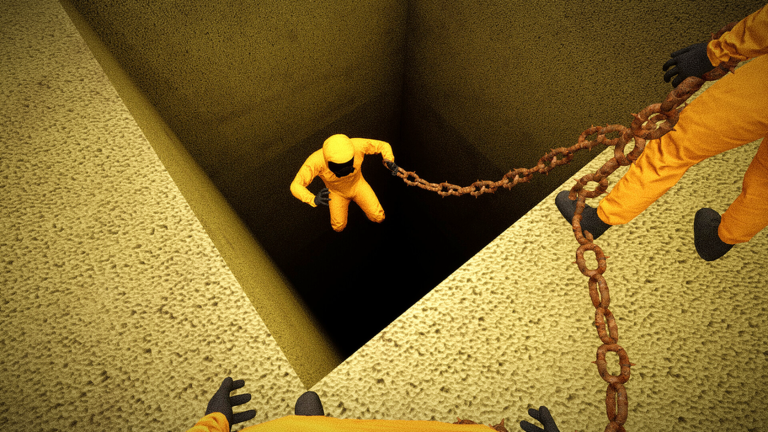
When codes return, this page plus the Codes Hub should be enough to claim them without chaos. Until then, take the group reward and keep practicing sync jumps.
Frequently Asked Questions
Quick answers to the most common questions.
Can I redeem codes right now?
There are no active promo codes at the moment. Follow the free group reward steps instead and recheck the Codes Hub after updates.
Do I redeem codes mid-level?
No. Return to the lobby or hub first so the Codes UI can load and your party is not mid-obstacle.
What if the Codes button is missing?
It may be hidden while no codes are active. Rejoin after a patch, check menus thoroughly, or claim the free group reward.
Is the group reward the same as a code?
No. Joining Musta and Alexander plus liking and favoriting the game is a separate free reward path that does not use a redeem string.